Your store, running like clockwork.
Staff management, audit compliance and profit control for fuel stations, convenience stores and restaurants.
Platforms: Web · iOS · Android
Single store £15 a month, or Multi-site £20 a store a month, plus VAT. Every feature and unlimited staff on both. 14-day free trial, no card needed. After that, billed monthly in advance and renews automatically each month until you cancel, which you can do at any time.
Why we built Retail is Detail
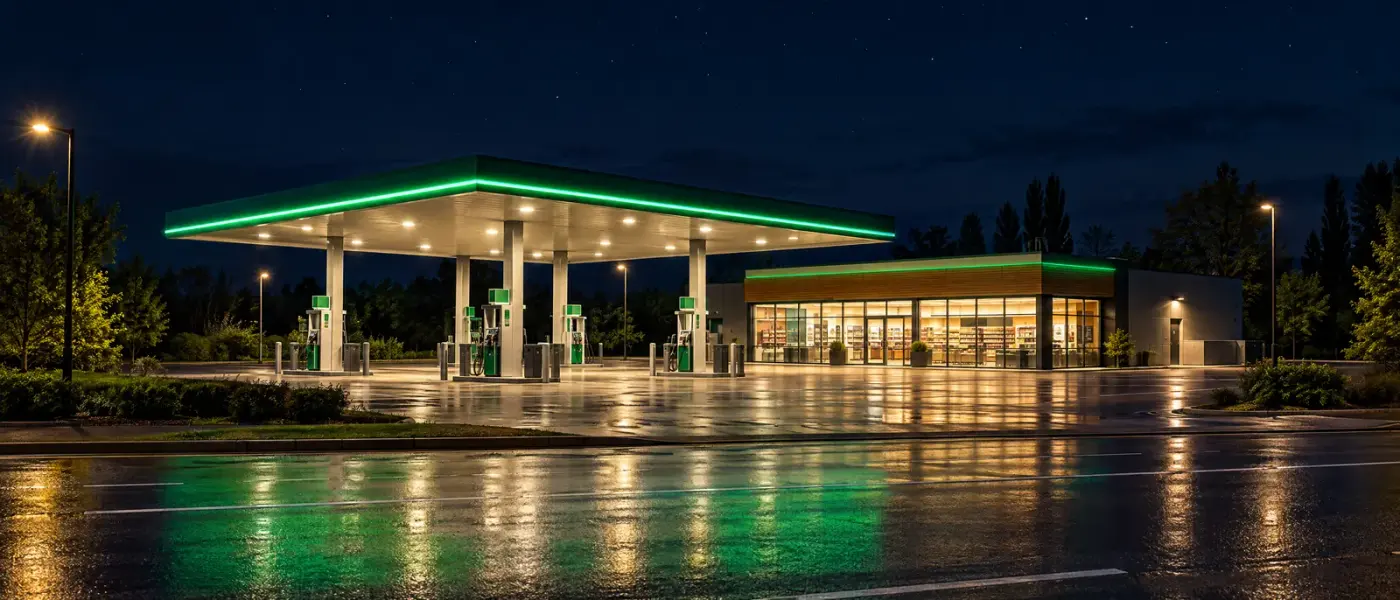
It started at 05:52 on a forecourt.
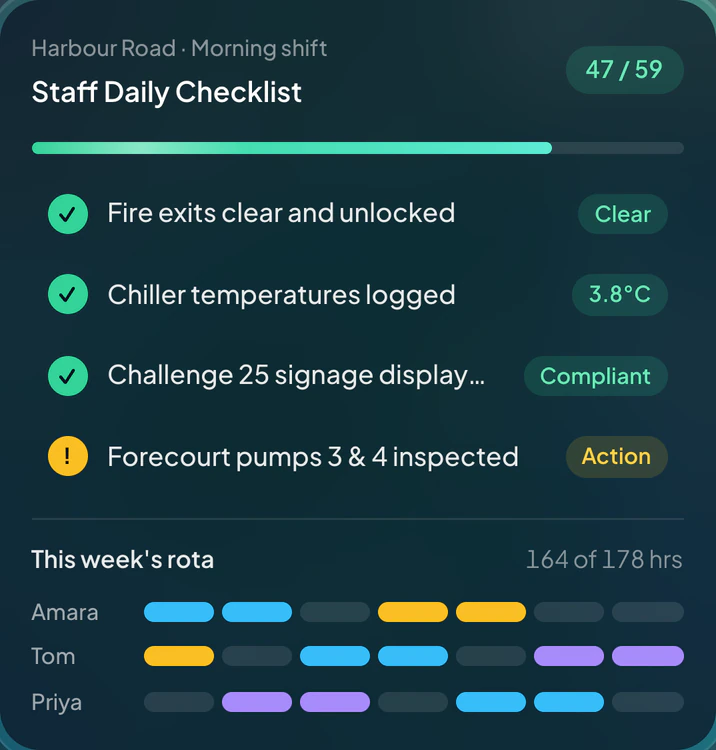
The opening checks lived on a clipboard. Some mornings it was in the office. Some mornings it was nowhere. When the area manager asked for last month’s records, finding them took an afternoon.
So we put the list on the phone every member of staff already carries. Every tick is timestamped. Every missed check is flagged before the shift ends. The back-office reports that used to sit in a drawer are now read for you, line by line, and anything that doesn’t add up names the shift it came from.
Retail is Detail is the app we wished we’d had on day one.
More real screens, from real shifts.
Stock ordering
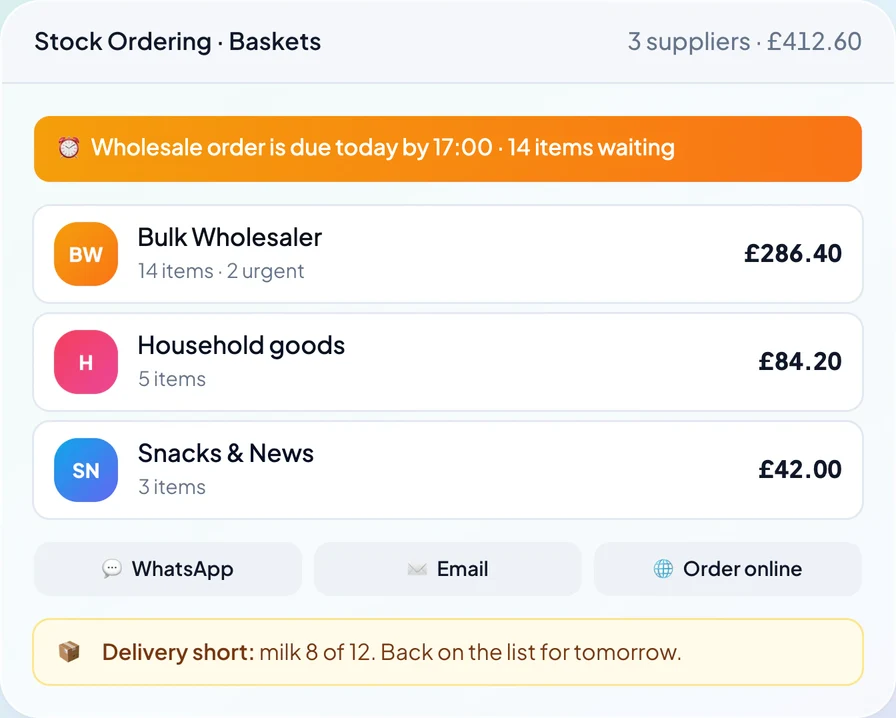
Stock ordering baskets sorted by supplier, with the wholesaler’s 17:00 cut-off, totals and a short delivery put back on the list
End-of-day checks
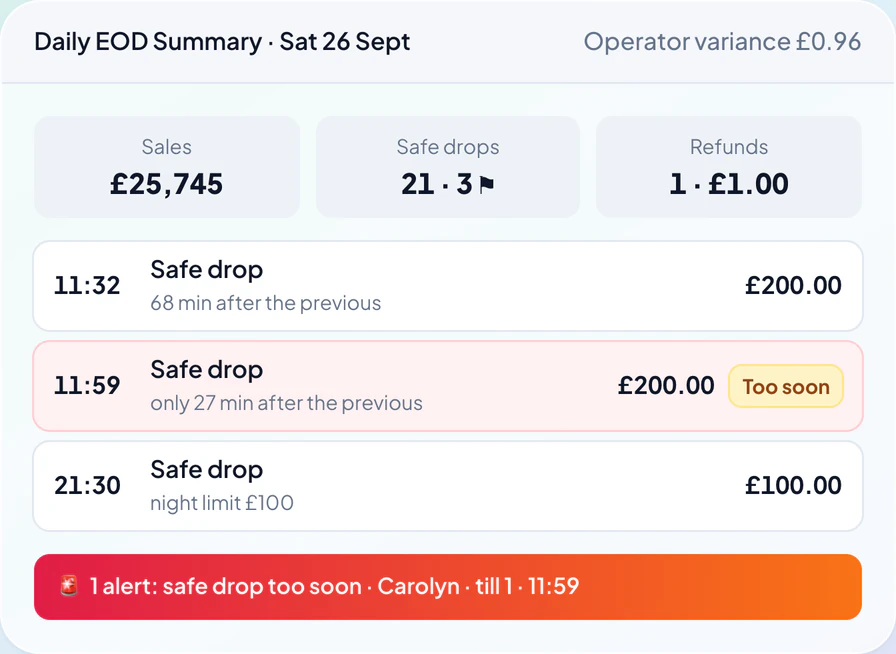
Daily end-of-day summary checking safe drops and refunds, flagging a drop made too soon after the last one
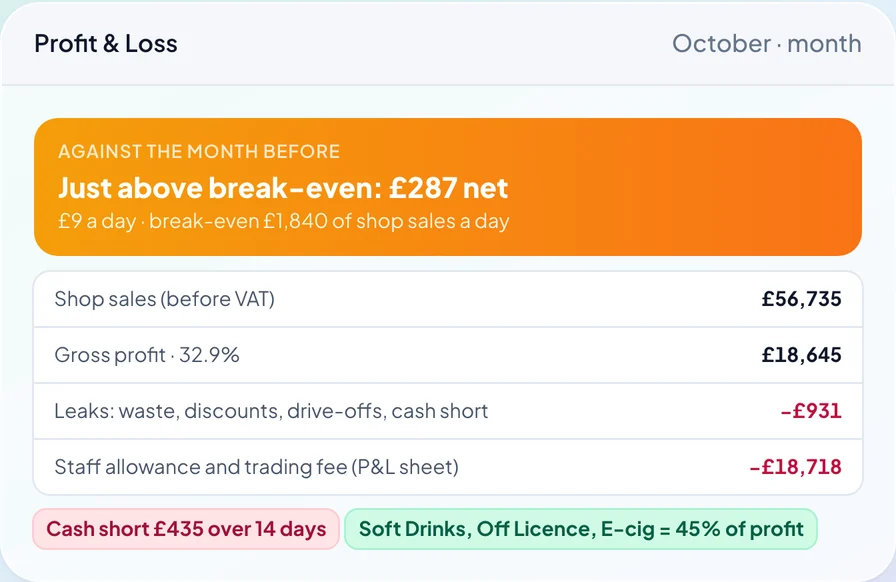
Profit & Loss
Profit & Loss for October: just above break-even, with shop sales, gross profit, leaks and overheads
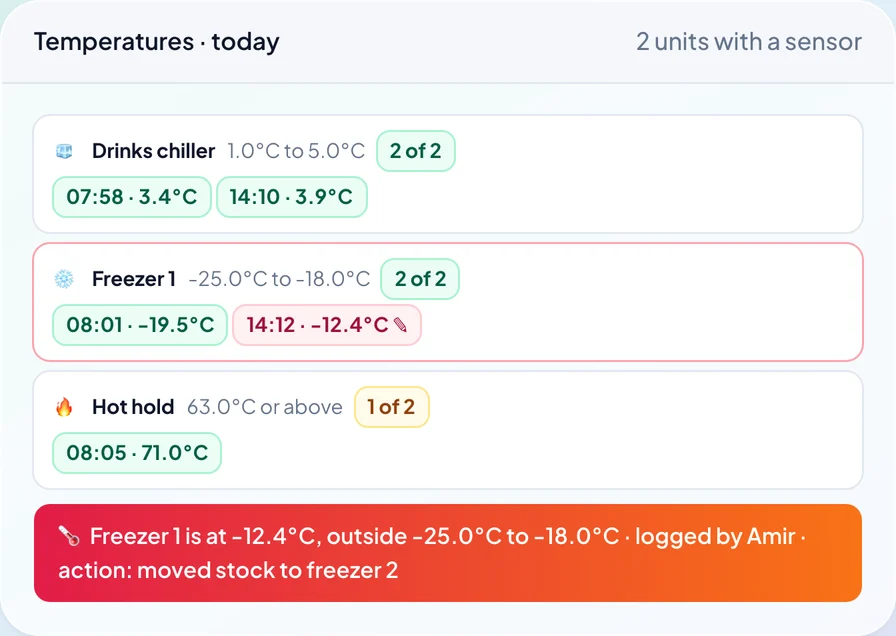
Temperatures
Today's fridge, freezer and hot-hold temperatures against their limits, with an alarm for a freezer out of range and the action taken
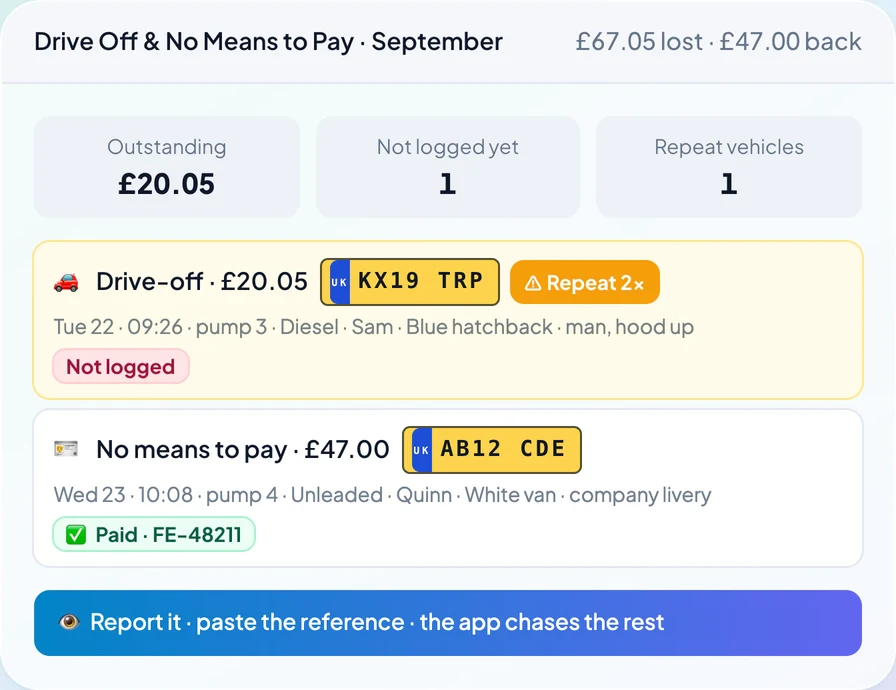
Drive-offs, chased
Drive-off and no-means-to-pay log with number plates, repeat-vehicle warnings and money recovered
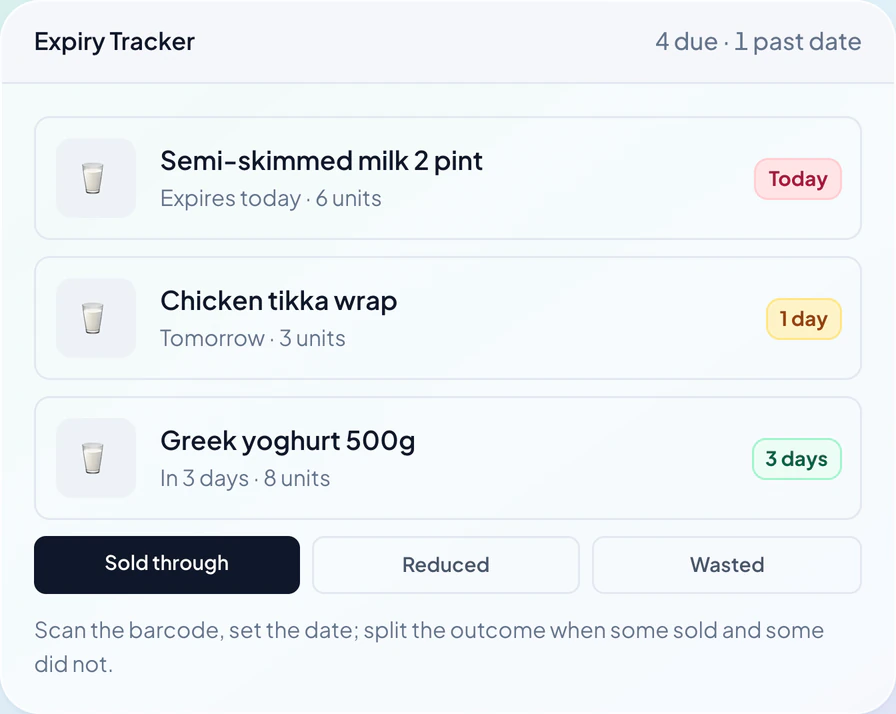
Expiry tracker
Expiry tracker with milk, wraps and yoghurt counted down, and what sold, was reduced or wasted
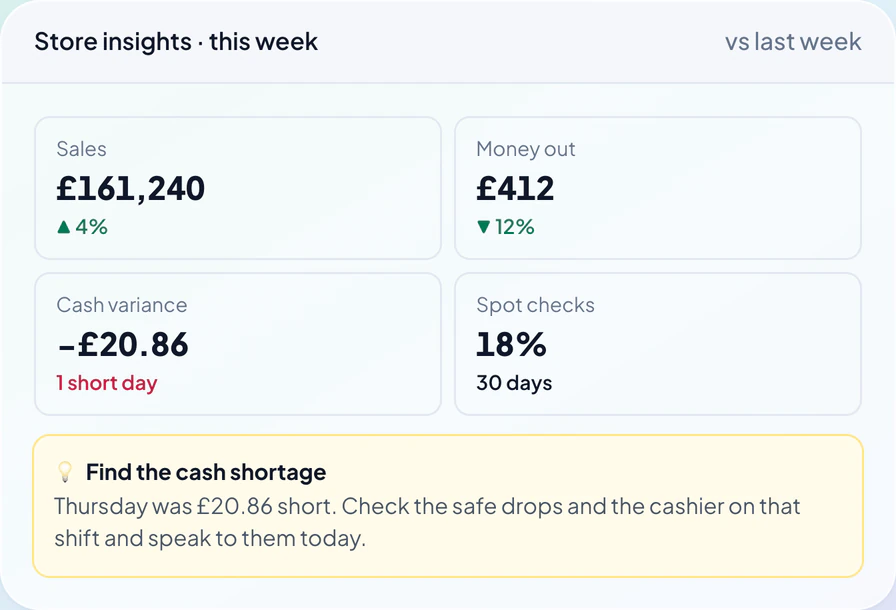
Store insights
Store insights comparing this week with last: sales, money out, cash variance and spot checks
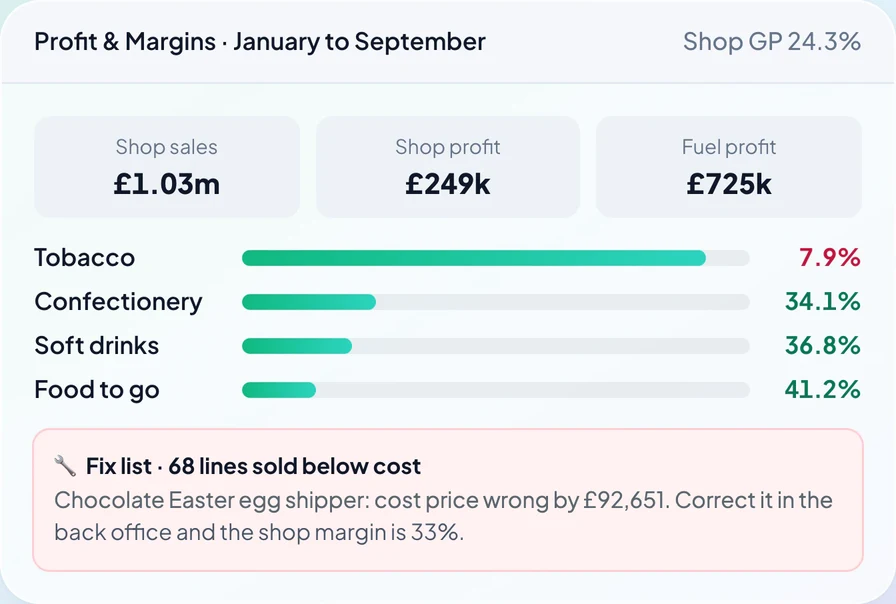
Profit and margins
Profit and margins by department, with a fix list of lines sold below cost
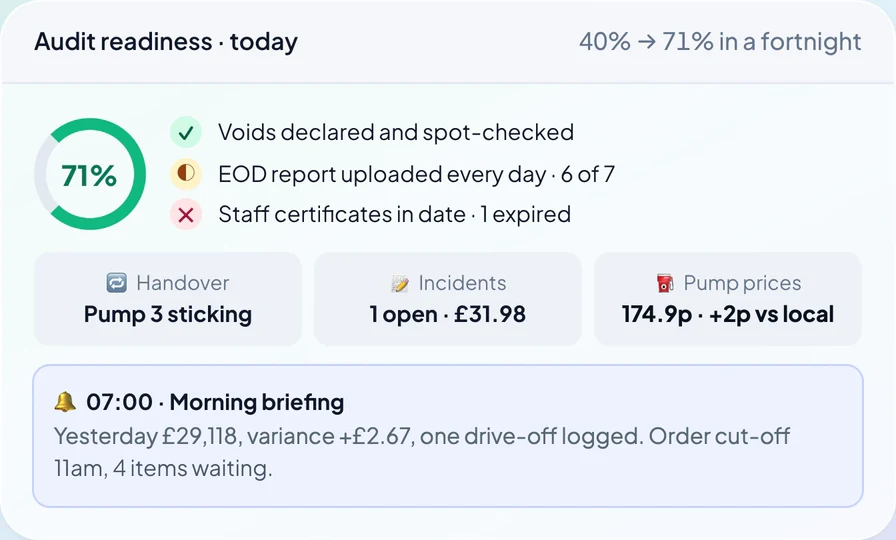
Audit readiness
Audit readiness score rising from 40% to 71%, with handover notes, incidents and the morning briefing
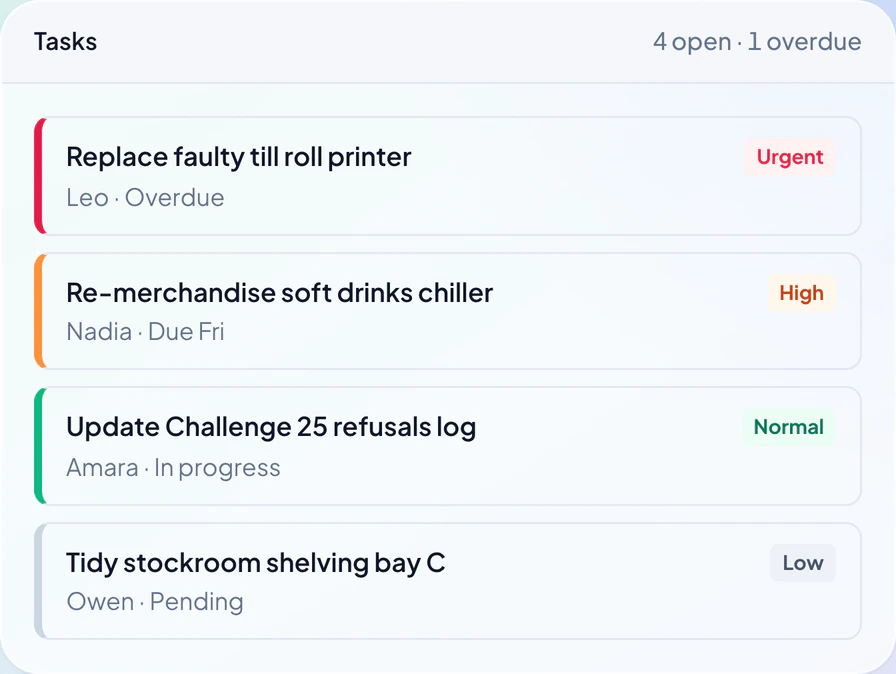
Tasks
Task list with urgent, high, normal and low priorities, owners and an overdue flag
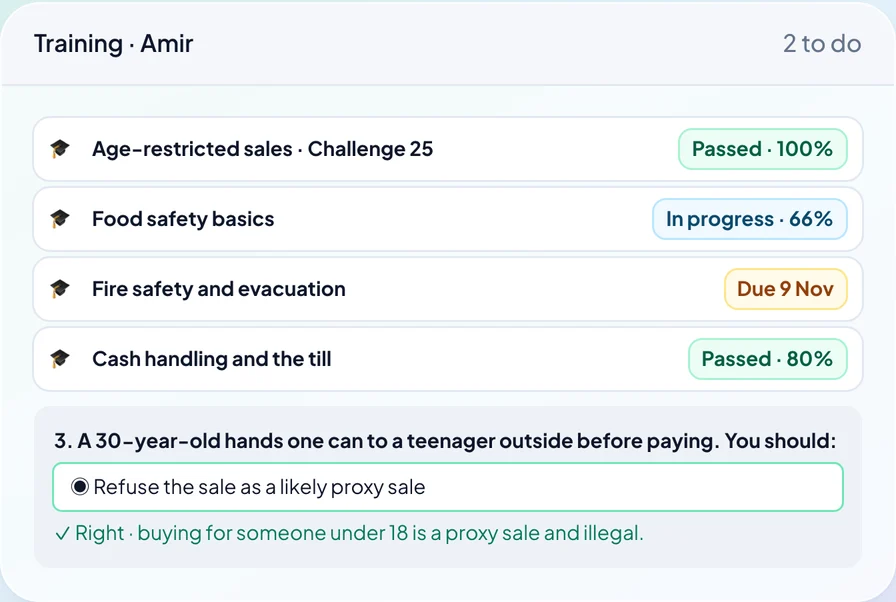
Training & quizzes
A staff member's training: age-restricted sales passed, food safety in progress, fire safety due, and a quiz question marked right
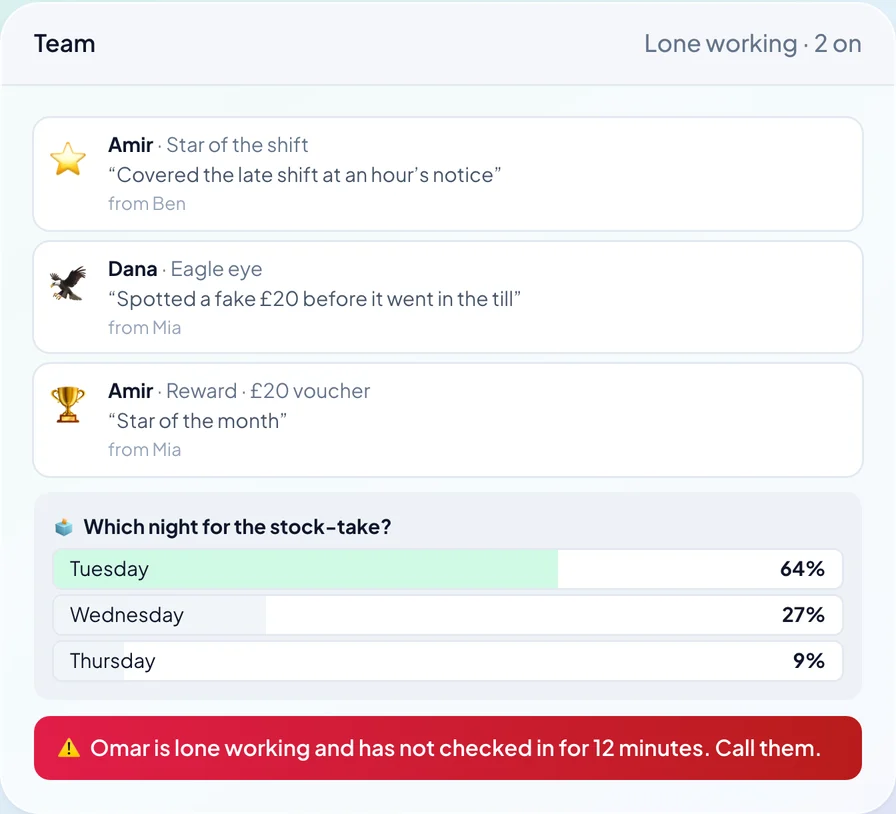
Team & lone working
Team shout-outs and a reward, a poll on the night for the stock-take, and a lone-working alert for a missed check-in
Everything it does.
68 features, in 8 groups
Retail is Detail is the app a store team opens at the start of every shift. Checklists, the rota, tasks and messages replace the clipboard, the group chat and the printed rota.
Who it is for
- Fuel forecourt operators and site managers
- Convenience store owners running one site or several
- Restaurant and café owners and managers
- Store managers who need audit-ready records without the paperwork
- Shift staff who log in with a 4-digit PIN
Daily checks & compliance
- Role-specific checklistsStaff, manager, operator, area manager, forecourt cleaner and food service checklists with over 300 checks, saving as you go.
- Editable checklistsReword, add, move or remove any check, or upload a head-office audit template and approve where its questions land.
- Audit MustA night-before sweep of store and staff-file checks, each with a status, a countdown to the audit and CSV export.
- Audit readiness scoreEvery audit check scored daily from your own records, with a link to fix each gap.
- Cleaning schedulesA weekly tick-grid for cleaning tasks that records who did each one and when.
- Internal cleaning rotaA numbered section per shift with reference photos and before-and-after pictures as proof.
- Incident logRecord incidents with photos, CCTV and police references so nothing is lost.
- Temperatures and sensorsFridges, freezers and hot holds logged against their limits, by hand or by sensor. Out of range raises the alarm and messages the managers.
- Probe checksFood temperatures checked with a hand-held probe against FSA limits, with probe calibration on record.
- Corrective actionsA failed check raises a task with an owner and a due date, so the fix gets done and is on record.
- Equipment and maintenanceA register of everything that needs servicing, with the next date worked out, breakdowns reported with a tap and upkeep costs added up.
- Shift handover notesLeave notes for the next shift, such as a sticking pump, so nothing gets missed.
- Checklist history and exportsFilter completed checklists by date, person and type, and export to CSV for your area manager.
Stock & ordering
- Stock ordering basketsPhotograph or scan what is running low and it sorts into a basket per supplier with cut-off times and totals.
- Wholesaler product importImport a wholesaler's product list so items carry their own barcodes, product codes and trade prices.
- Send orders your waySend orders by WhatsApp, email, the supplier's site or a scanner file, with repeat orders and templates in one tap.
- Cash & carry shopping listTick items off by category in the trolley, working without signal, with unbought items staying on the list.
- Par levels and stock countsStock counts against par levels put the shortfall on the order list in one tap.
- Delivery check-inCheck deliveries in line by line so short deliveries go back on the list and price rises are flagged.
- Supplier directoryKeep every supplier's details and account numbers one tap away.
- Expiry trackerScan and date stock, get alerts before it expires, and record what was sold, reduced or wasted.
- Stock wastage logLog waste with a reason and photo, with optional manager approval and the worst products ranked by cost.
- Planogram checkPhotograph a shelf and see a score and red, amber and green map of what is in place, wrong or missing.
- Price CheckerCompare a product's price across major supermarkets and cash and carries, with a weekly watch list and price history.
Loss prevention & cash control
- Daily EOD summaryUpload the end-of-day report to check banking, safe drops, refunds and payouts against your rules, naming the cashier on every breach, with one overview for any day, week, month or year.
- Price override checksStaff declare price changes, the till report is matched to them, and random lines are checked against CCTV.
- Void and refund checksPhotograph the receipt, give a reason and spot-check voids and refunds, with a monthly register.
- Spot checksSpot checks weighted by value and margin pick which voids, refunds and overrides to check against CCTV, with a hand-pick list too.
- Mobile top-upsPhotograph the terminal's end-of-day print and the figure is balanced against the till to the penny, every day.
- Cancellation reportDeclare and spot-check whole sales cancelled at the till, matched to the back-office print.
- Drive-off and no-means-to-payLog unpaid fuel with receipt, plate and CCTV details, flag repeat vehicles and track the money until it is recovered.
- DVLA vehicle checkLook up a number plate against the official DVLA record and be warned if the vehicle does not match.
- Recovery paperworkPrepares the police report, DVLA keeper request and 14-day keeper letter for drive-offs.
- Scratchcards daily summaryRecord pack numbers per shift, work out sold and value, and check against the lottery terminal.
- Coffee machine recordsNightly clean with photos, the fresh-milk rule, pack tracking, faults and cup counts checked against the EOD.
Sales & reporting
- Store InsightsYour week across every feature against last week, with ranked tips that point at a number.
- Profit & LossIs the store making money? For any period: sales before VAT, gross profit at your real margins, every leak recorded, your overheads, and a plain verdict with the fixes.
- Profit and marginsTurn the Gross Profit report into margin by department and item, with a fix list of lines sold below cost.
- Gallonage analysisUpload the weekly fuel and shop report to see results against target by week, quarter and weekday.
- Bulk report uploadDrop any back-office report from any till system, as a PDF, spreadsheet or photo. It is recognised, the figures are checked with you, and each lands in the right feature.
- Pump price comparisonSee your pump prices against nearby forecourts and today's prices in your area.
- Cash flow viewSee cash flow built from your end-of-day reports.
- Weekly digestA weekly summary every Sunday with a PDF you can hand to the area manager.
- Reports and exportsExport reports to Excel, PDF or CSV for area managers or your own records.
- Store-wide searchSearch products, people, number plates, suppliers, documents and tasks from one box.
Team & rota
- Staff rota with budgetA weekly shift grid with colour-coded shifts and hours and cost shown against your budget.
- Team messagingMessage one person or the whole team, with threaded replies, unread badges and read tracking.
- Staff PIN loginEach team member signs in with a four-digit PIN, and leavers lose access when removed.
- Staff scorecards and attendanceSee scorecards and attendance built from PIN logins and completed work.
- Shout-outs, rewards and pollsThank-yous with badges and rewards, birthdays, and anonymous polls where managers see who voted but never their choice.
- Hiring and onboardingA hiring board, and an onboarding pack that gets each new starter ready for their first shift.
- Lone workingLone-worker check-ins with a HELP button that reaches the managers' phones.
- In your own languageMessages and notices translated into each person's own language with one tap, in more than thirty languages.
- Training courses and quizzesReady-made courses for age checks, food safety, fire, cash and more, each with a quiz marked in the app and the team record the auditor asks for. Add your own videos and photo standards too.
- Document librariesKeep planograms, store pack and training documents in the app, opening PDFs, Excel, Word, photos and video in place. Policies are signed in the app with a drawn signature, with a register of who signed and when.
Tasks & alerts
- Task managerAssign jobs with a priority and due date, track progress, and see overdue tasks flagged in red.
- Alert rulesSet rules such as low sales, large variances or missing EOD reports and get messages and phone notifications.
- Morning briefingA written briefing on yesterday and today's priorities, delivered at a time you choose.
- Operator AssistantAsk questions such as any drive-offs yesterday, answered from your own records by text or voice.
Multi-site
- Multi-store viewArea managers see every store side by side.
- Guided store setupA step-by-step setup covers the team, limits, forecourt, coffee machines and features, with sample data and a quick tour.
Security, data & platform
- Works offlineChecklists, tasks, handovers, incidents and counts save on the phone and send when signal returns.
- Reports read on your deviceBack-office PDFs are read on the device itself rather than sent away for processing.
- UK data hostingCustomer data is held in the UK.
- Audit trailEvery answer is timestamped and kept, and edits are logged with who made them.
- No cookies or trackersThe site sets no cookies and the app stores only your login and a few settings.
- Installable appAdd it to your phone’s home screen from the browser and it opens like a normal app.
- Branded PDFsEvery report and PDF the app makes carries your store's logo.

Already using Retail is Detail?
The fastest answers come from the team behind Retail is Detail, who know it inside out.